Momentum Plus is a paid membership that unlocks advanced productivity features and additional ways to personalize your Momentum experience.
With Plus, you can build a dashboard that works more closely with your routine, from deeper focus tools and task integrations to custom content, Notes, enhanced Weather, and more.
💡 Already upgraded? Your Plus features unlock immediately. You'll also get access to new features added to Momentum Plus in the future.
What's included with Momentum Plus
- Ask AI :momentum-ask-ai:
- Top task in center :focus:
- Countdowns :calendar-check:
- Custom photos :image: quotes :message-square-quote: and mantras :message-square-heart:
- Custom schedule for Balance mode :sunset:
- Extra weather info :cloud-sun:
- Focus Mode :momentum-focus-mode:
- Font and theme customization :palette:
- Metrics :chart-column-increasing:
- Multiple task lists :menu:
- Notes :momentum-notes:
- Pomodoro Timer :momentum-pomodoro:
- Sounds :music:
- Tab Groups :group:
- Tab Stash :momentum-tab-stash:
- Task integrations :puzzle:
- World Clocks :momentum-world-clocks:
- Site Blocker :momentum-site-blocker:
Here's what you can do with each feature.
Ask AI
Brainstorm ideas, create outlines, generate journal prompts, and develop your ideas directly inside Momentum.
Learn more about Ask AI
Top task in center
Keep your next priority visible by connecting your active task list to your Focus. When you complete your current Focus, the next task from your active list automatically takes its place.
Learn more about Top task in center
Countdowns
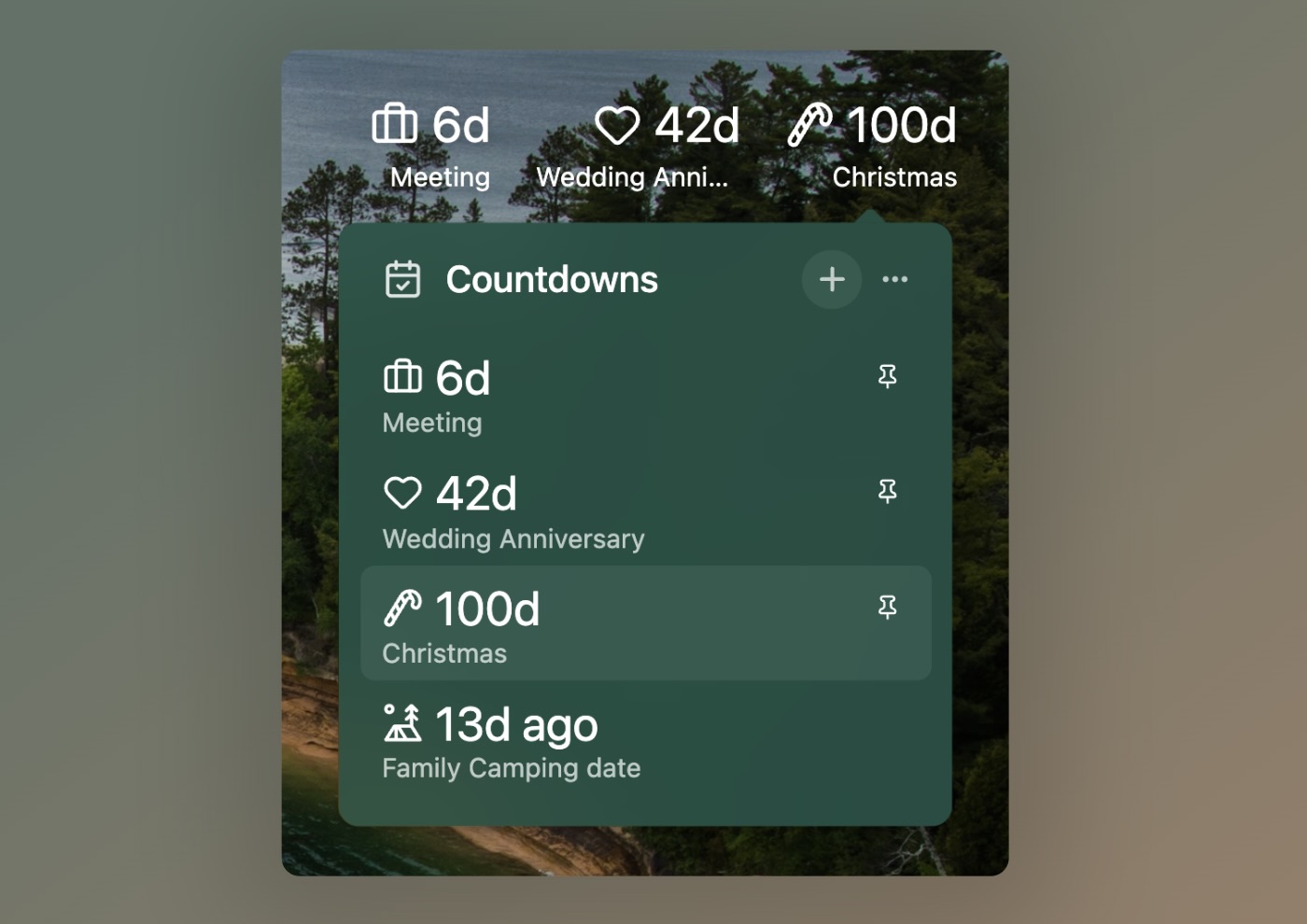
Keep important dates in sight with a countdown displayed directly on your Momentum dashboard. Use Countdowns for upcoming events, meetings, deadlines, or anything else you're looking forward to.
Learn more about Countdowns
Custom photos, quotes and mantras
Make Momentum feel more personal by adding the photos, quotes, and mantras that inspire you.
You can also skip or change your daily photo, quote, or mantra whenever you want something different.
Learn more about custom photos, mantras & quotes
Custom schedule for Balance mode
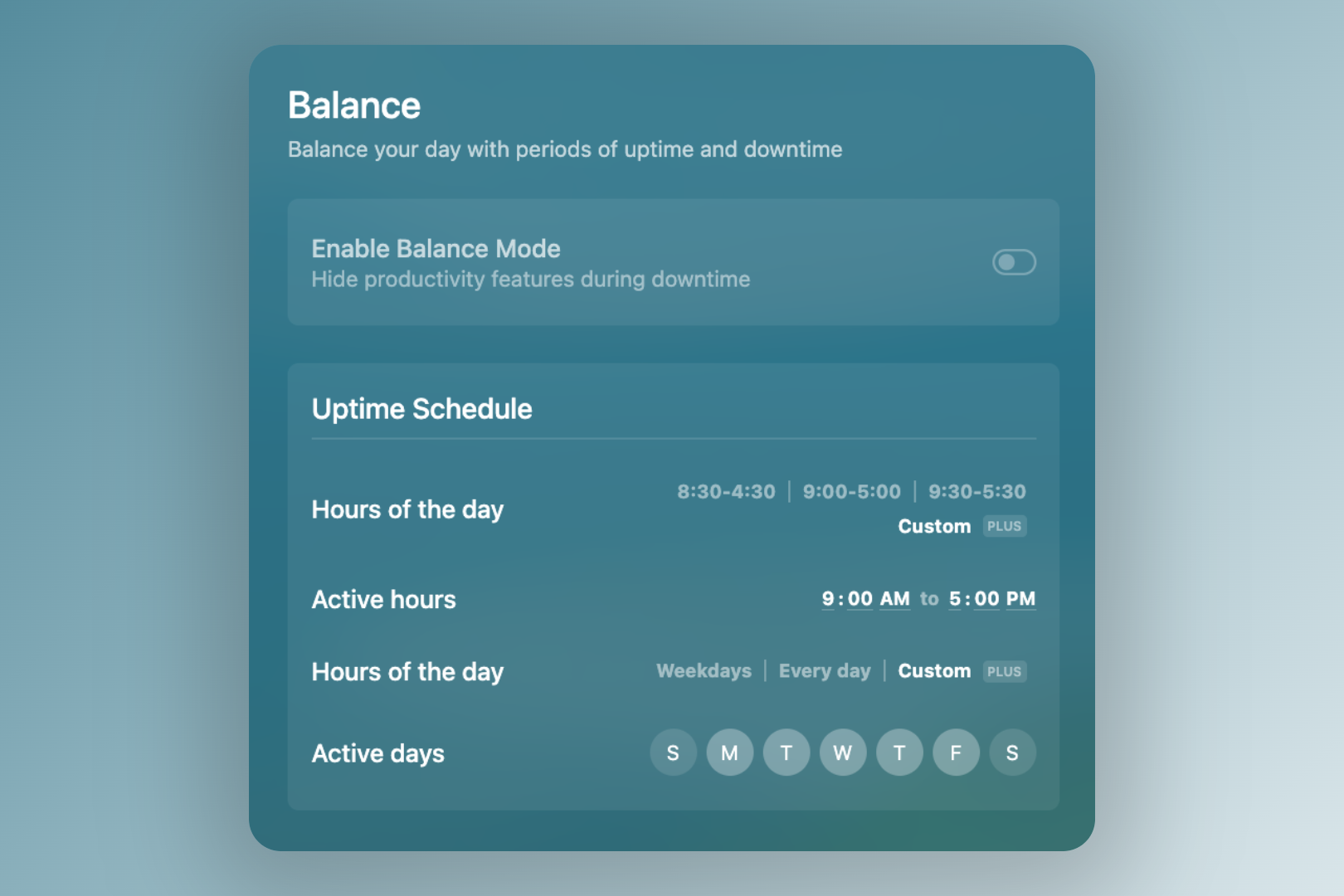
Set a custom Balance mode schedule around your routine.
Balance mode can automatically hide productivity features such as Tasks, Focus, and Notes during your downtime, giving you a visual reminder that it's time to step away from work or focus on other parts of your day.
Learn more about the custom schedule for Balance mode
Extra weather info
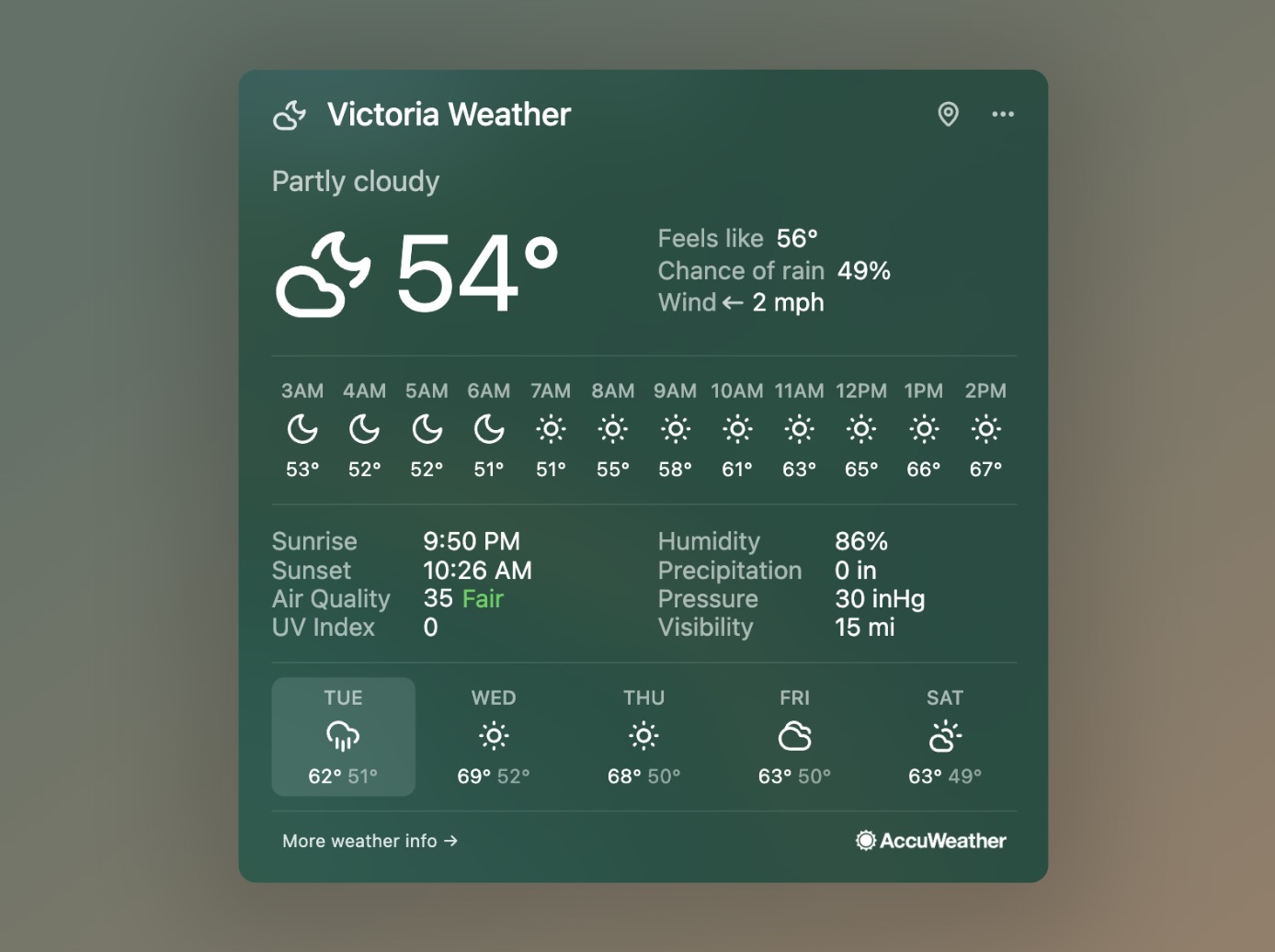
Get more detail about current and upcoming conditions directly from your Momentum dashboard.
Extra weather information includes:
- Hourly forecast
- Chance of rain
- Wind speed and direction
- Humidity percentage
- Sunrise and sunset times
Learn more about extra weather info
Focus Mode
Reduce distractions and give your most important task your attention with Focus Mode.
Focus Mode creates a dedicated space for focused work, helping you build a deeper work routine and move through your priorities.
Learn more about Focus Mode
Font and Theme customization
Make your dashboard your own with additional fonts and theme colors.
Momentum Plus gives you five additional font choices and an extensive range of theme colors for personalizing your dashboard.
Learn more about font and theme customization
Metrics
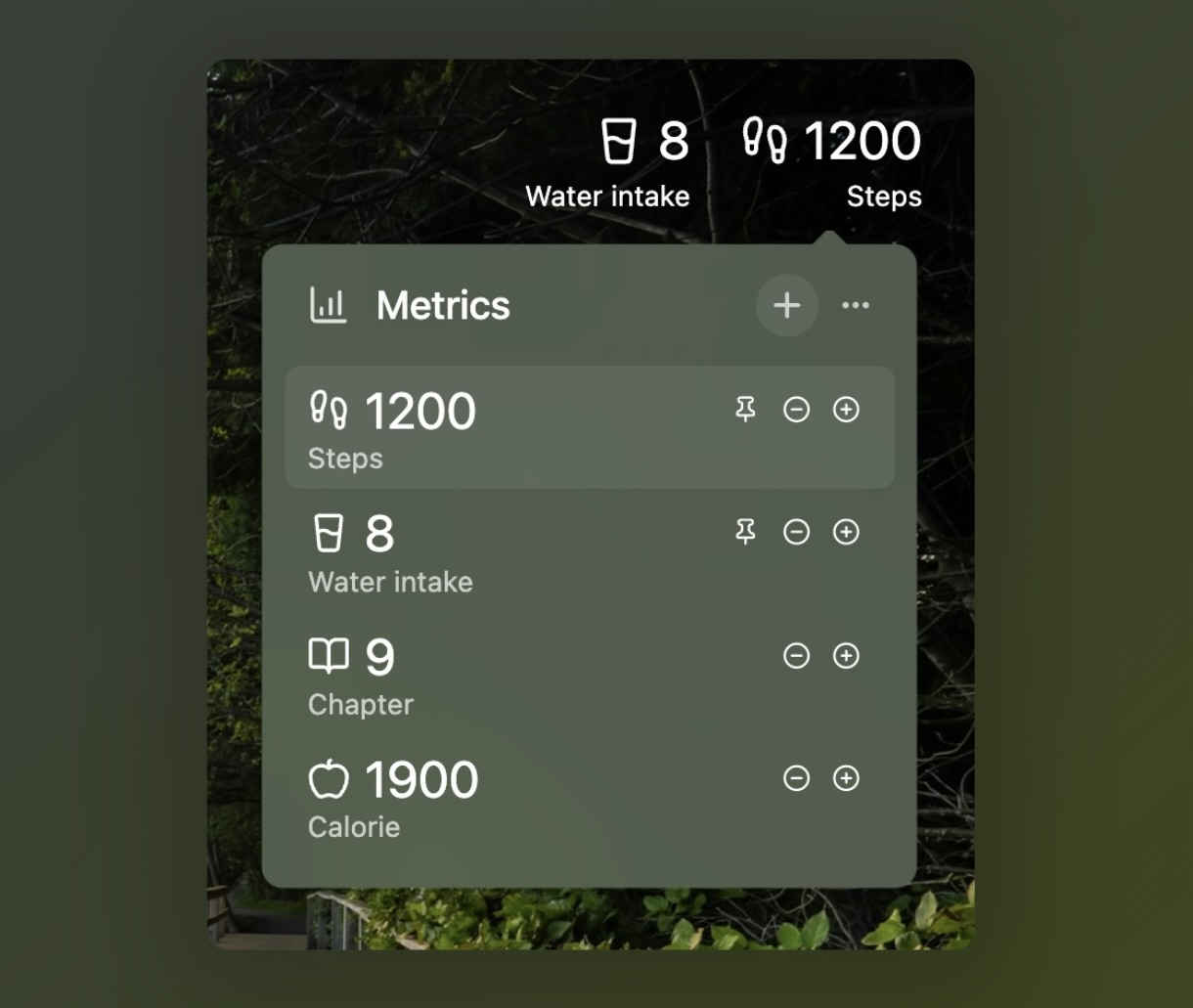
Keep useful personal or professional information visible directly on your dashboard.
You can add and update key performance indicators and other data manually, connect a third-party integration, or use an API address. Your Metrics appear at the top-right of Momentum.
Learn more about Metrics
Multiple task lists
Go beyond Momentum's default Inbox, Today, and Done lists by creating your own custom task lists.
Use separate lists to organize different projects, priorities, or areas of your life while keeping everything together in Tasks :momentum-tasks:
Learn more about multiple task lists
Notes
Keep information that doesn't quite belong in a task list close at hand with Notes.
Use Notes for information, schedules, reminders, ideas, and anything else you want to keep accessible directly in Momentum.
Learn more about Notes
Pomodoro Timer
Structure your focus time with the classic Pomodoro technique.
Break your work into timed focus and rest intervals, then customize the timers to fit the way you work.
Learn more about the Pomodoro Timer
Sounds
Create the right atmosphere for focus or relaxation with ambient soundscapes.
Choose from sounds such as a crackling campfire, peaceful garden, busy café, and more.
Learn more about Sounds
Tab Groups
Turn frequently used websites into reusable sets of tabs.
Create custom collections of links for a project, routine, or workflow. When you're ready to use them, open all the links in a Tab Group in separate tabs with one click.
Learn more about Tab Groups
Tab Stash
Clear away open tabs without losing them.
Tab Stash lets you save your open tabs for later, helping you reduce browser clutter and focus on what you need right now.
Learn more about Tab Stash
Task integrations
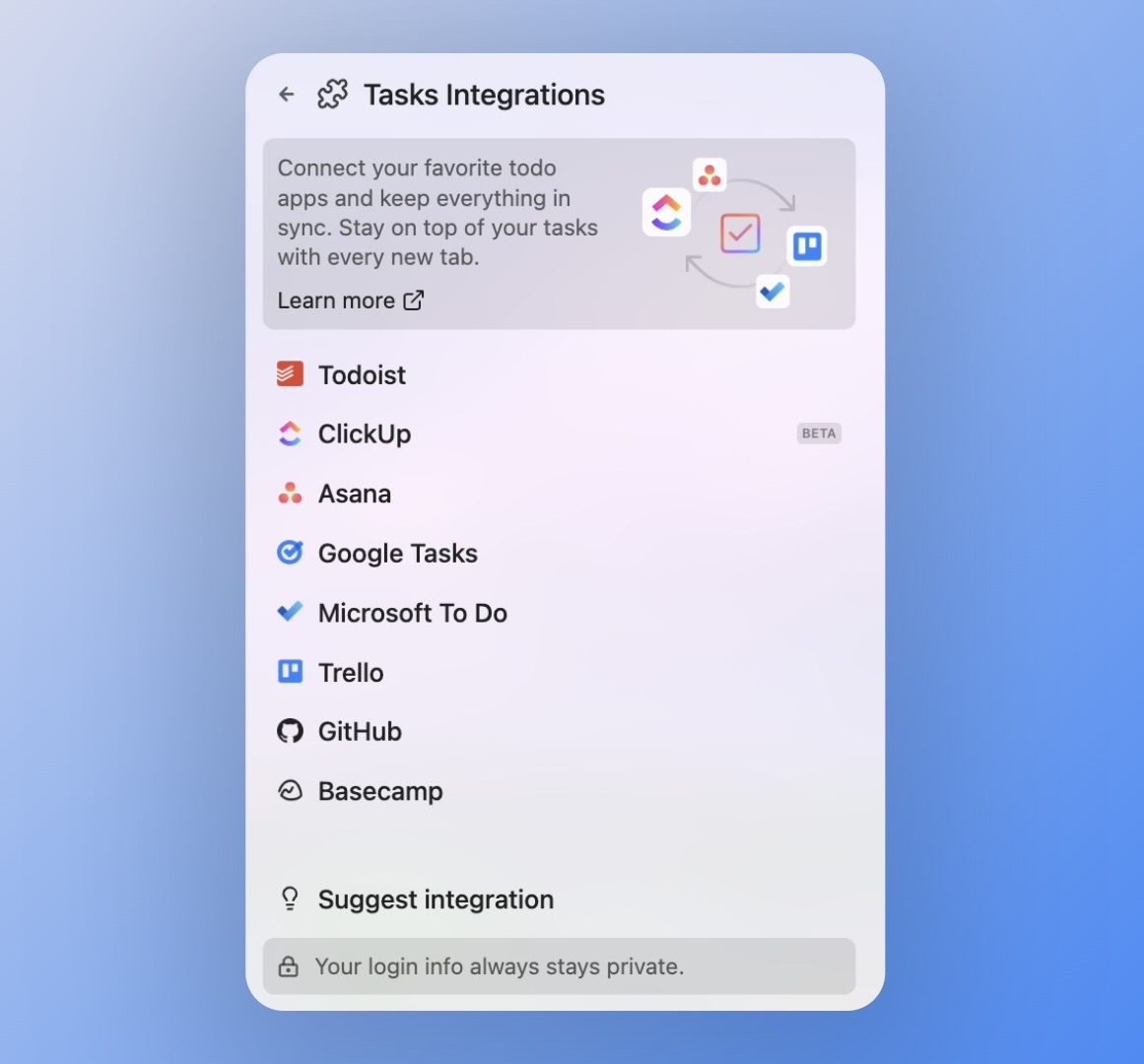
Bring tasks from the tools you already use into Momentum.
Connect supported third-party task managers to Tasks :square-check: to add, view, and update their tasks directly from your dashboard.
Momentum Plus supports task integrations with:
- Asana
- Basecamp
- ClickUp
- GitHub
- Google Tasks
- Microsoft To Do
- Todoist
- Trello
Learn more about task integrations
World Clocks
Make working across time zones easier with World Clocks.
Add a location, give the clock a name that makes sense to you, and save it. Your saved clocks appear at the top of your Momentum dashboard for quick reference.
Learn more about World Clocks
Site Blocker
Reduce the temptation to visit distracting websites when it's time to focus.
Site Blocker can block distracting websites during your Focus Mode sessions or Balance mode downtime, helping you stay on task.
Learn more about Site Blocker
Upgrading to Plus
Ready to unlock Momentum Plus? Upgrading to Momentum Plus Once your upgrade is complete, your Plus features become available immediately.
💡 Tip: Most Plus features are ready to use right away. Some features, such as task integrations and custom schedules, require a quick one-time setup. Check the feature's Help Center article for its setup instructions.
FAQs
:::faq
Q: What happens right after I upgrade to Plus?
A: You get instant access to every feature listed above, along with any new features we add to Plus in the future.
Q: Do I need to set up each feature individually?
A: Most Plus features are ready to use right away. A few, like task integrations and custom schedules, need a quick one-time setup, covered in each feature's own article.
Q: Is Momentum Plus different from Momentum Teams?
A: Yes. Momentum Plus is for individual users, while Momentum Teams builds on Plus with team-focused features like shared dashboards and Team Goals.
:::