Keep your most important priority front and center with Daily Goal :flag:
Choose the one thing you want to accomplish today, and every new tab brings it back into view, helping you stay intentional about where your attention goes.
💡 Why use Daily Goal? When everything feels important, it's easy to lose sight of what matters most. Daily Goal gives you one clear priority to return to throughout the day, right where you already pause, plan, and refocus in Momentum.
Set and manage your Daily Goal
Set one priority, keep it visible, and update or complete it as your day moves forward.
Set your Daily Goal
When you haven't set your Daily Goal yet, you'll see What is your main goal for today? in the center of your dashboard.
- Click underneath What is your main goal for today?, above the line.
- Type your Daily Goal for the day.
- Press
Enter(macOS:Return) to save it.
Your Daily Goal will appear front and center on your dashboard, keeping your priority within sight throughout the day.
Complete your Daily Goal
When you've accomplished your Daily Goal:
- Hover over your Daily Goal.
- Click the checkbox on the left.
Celebrate your win! 🎉
Want to keep going? Hover over your completed Daily Goal, click •••, then select + New to set another one for the day.
Manage your Daily Goal
Hover over your Daily Goal and click ••• to access additional actions:
- Edit :pencil: : Change or update your current Daily Goal.
- Clear :x: : Remove your current Daily Goal.
- Start Pomodoro Timer :momentum-pomodoro: Start a Pomodoro Timer using your Daily Goal as your focus. ❇️ Momentum Plus Exclusive:
- Show top task in center :play: Switch from your Daily Goal to displaying your top task from Tasks :momentum-tasks: in the center of your dashboard. ❇️ Momentum Plus Exclusive:
Change or hide Daily Goal
Daily Goal appears in the Below the center area of your dashboard. You can switch this area to another available option or hide the entire section when you want a different dashboard setup.
Replace Daily Goal with another feature
You can quickly switch what appears below the center directly from your dashboard:
- Hover over your Daily Goal.
- Click the :repeat: switch icon on the left.
- Select another available option.
- Choose:
- Goal :flag:
- Search :search:
- Calendar :calendar:
You can also change it from Settings :settings-2:
- Open Settings :settings-2: → General.
- Find Below the center.
Your selected option will appear below the center of your dashboard.
Hide the Below the center section
If you don't want anything displayed below the center of your dashboard:
- Open Settings :settings-2: → General.
- Find Below the center.
- Turn Enable section off.
This hides the entire Below the center section, not just Daily Goal. Turn Enable section back on anytime to display your selected option again.
Show your top task in the center
❇️ Momentum Plus Exclusive
Connect Tasks :momentum-tasks: with the center of your dashboard using Top task in center :focus:. Your top task automatically appears in the center, keeping the next thing you need to accomplish front and center.
When you complete that task, the next task from your list automatically takes its place, helping you move from one priority to the next without manually entering a new Daily Goal.
Top task in center was previously called Autofocus.
Learn more about how Top task in center works, or explore the Momentum Plus overview to see the other features included with Plus.
Use Team Goal
👥 Momentum Teams Exclusive
If you're part of a Momentum Team, you'll see your personal Daily Goal alongside your Team Goal.
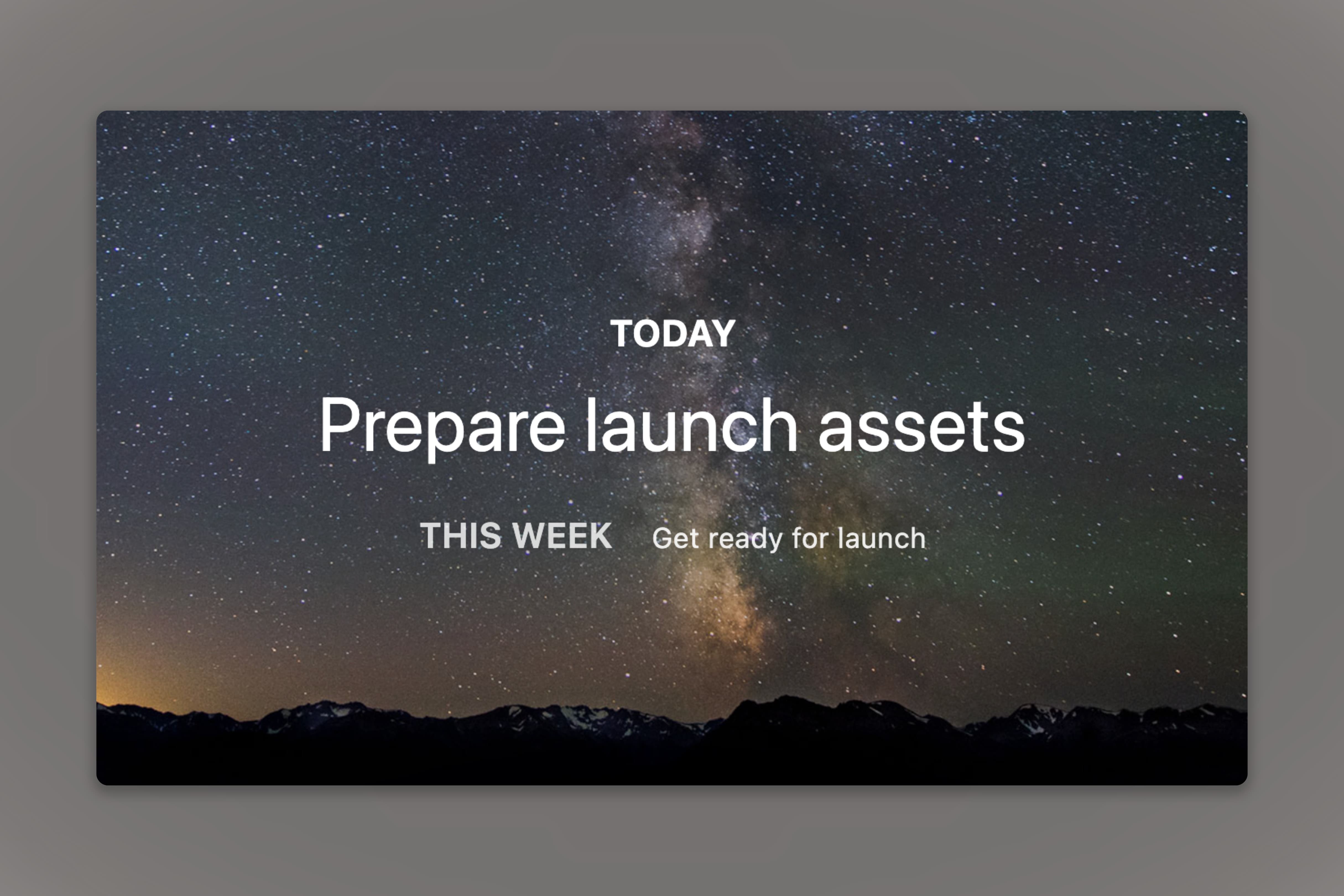
Your Daily Goal keeps your own priority visible, while Team Goal helps everyone stay aligned around what matters most for the group.
Learn more about Team Goal and Momentum Teams.
FAQs
:::faq
Q: Why isn't my Daily Goal showing on my dashboard?
A: Open Settings :settings-2: → General and make sure Below the center is enabled and Daily Goal is selected.
If you're using Balance Mode, your Below the center section may also be hidden during downtime. Open Settings :settings-2: → Balance and check whether Hide App Below Center is enabled.
Q: Can I skip a day or leave my Daily Goal blank?
A: Yes. You don't have to set daily goal every day. You can leave it blank until you're ready to choose your main priority.
Q: Can I see my previous Daily Goal?
A: Not right now. If you'd like to keep a record of your priorities, you can save them in Notes (available for Free users) or Tasks (available for Free and Plus users).
Q: When does my Daily Goal reset?
A: Your Daily Goal resets every day at 4:00 AM local time, whether or not you've completed it, so you can start each day with a new priority.
:::