
Daily inspiration with Momentum Photos
Every day at 4 AM local time, Momentum refreshes your dashboard with a beautiful landscape photo, giving you a fresh view whenever you begin your day.
Each photo includes information about where it was taken and the photographer who captured it. You can also save your favorite photos and revisit previously displayed images whenever you like.
View photo details
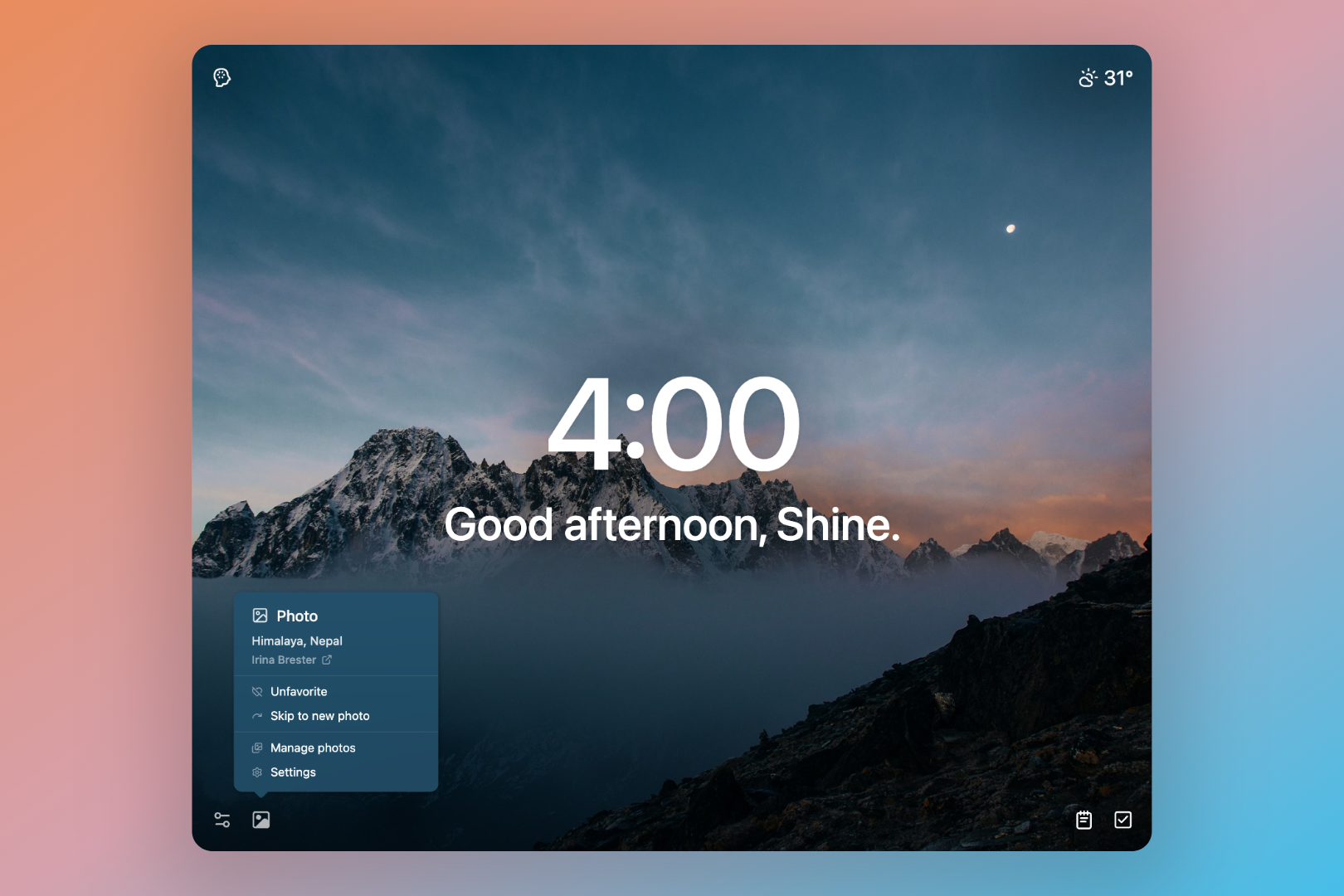
Every Momentum photo includes information about its location and photographer. You can view these details directly from your dashboard.
To view the photo details:
- Look at the bottom-left corner of your Momentum dashboard.
- Hover over the photo location.
- The photographer's name will appear.
- Click the photographer's name to visit their page.
Save or remove a favorite photo
Save photos to your Favorites so you can easily find and view them again later.
Favorite a photo
- Hover over the photo location in the bottom-left corner of your dashboard.
- Click the Heart ♡ icon.
Remove a photo from your Favorites
- Hover over the photo location again.
- Click the :heart-off: icon
View your Favorites and History
Momentum automatically saves your favorite photos and keeps a history of the images that have appeared on your dashboard.
To view your saved photos and photo history:
- Open:settings-2: Settings
- Select Photos.
- Choose Favorites or History.
To view more information about a photo:
- Hover over the photo.
- Click the Question Mark icon in the top-right corner.
The photo details include:
- Photo location
- Photographer's name
- The last date the photo appeared on your dashboard
Unlock more photo options with Momentum Plus
❇️ Momentum Plus Exclusive
Momentum Plus includes additional photo features that let you personalize your dashboard.
My Photos
Upload your own images to personalize your dashboard with the photos that inspire you most.
Skip Photo
Refresh your dashboard instantly with a different photo whenever you'd like a new view.
Change Photo
Choose any photo from your My Photos, Favorites, or History collections and display it on your dashboard.
Learn more in Skipping and changing Photos, Quotes & Mantras ↗
FAQs
:::faq
Q: What time does the daily photo change?
A: Momentum refreshes your dashboard photo every day at 4 AM local time.
Q: Can I choose which daily photo appears?
A: Momentum Free members receive a new daily photo automatically. Momentum Plus members can use Change Photo to select an image from their My Photos, Favorites, or History collections.
Q: Can I upload my own photos?
A: Yes. Momentum Plus members can upload personal images using My Photos.
Learn more in Custom Photos, Quotes & Mantras
Q: Can I download Momentum's background photos?
A: Some photos may be available through the photographer's page or original source. Hover over the photo location in the bottom-left corner of your dashboard and click the photographer's name to visit their page.
Learn more in How can I download the background images?
Q: Why can't I see the photographer's name?
A: Hover over the photo location in the bottom-left corner of your dashboard. The photographer's name will appear beside the photo location.
:::
Comments
0 comments
Article is closed for comments.